


SOYO 5
For walking and light jogging.
- Screen
- LED display
- Running surface
- 115 cm x 42 cm
- Top speed
- 14 km/h
- 100 Day Money Back Guarantee, and we pay the return freight.
- 10-year frame warranty; 5-year motor
$1,097
Shop SOYO 5


Kinomap plays real routes filmed around the world, more than 40,000 of them. When the road climbs, your treadmill lifts its incline to match, and the video moves at the pace you're running. It runs on your phone or tablet and connects to every ON:PACE treadmill over Bluetooth.
 12 months of Kinomap PremiumA$129.99 a year in the Kinomap app
More than 40,000 videos filmed in over 200 countries, with 30 to 40 new ones added every day. In Variable Speed the video keeps pace with you, up to twice as fast as it was filmed.

Coaching videos come with a coach talking you through the session over music. Follow one you like and their sessions, workouts and routes are all in one place.

Pick a workout made by Kinomap or its community, or build your own on the web and it appears in the app. Your ON:PACE sets the incline for every block, and Kinomap tells you when to change speed.

Map mode puts you on a real route with your progress, elevation and rankings on screen. Use Kinomap's routes, including race stages and marathon courses, or upload a GPX file of a run you've done outside.

Join a live multiplayer session or schedule your own, and every Sunday there's Sunday Running, a live race at 10am and 6:30pm Paris time. Monthly challenges set a target, with digital trophies, prize draws and official finisher medals you can order from Kinomap.

Passports log every country you've run through, continent by continent, with treadmill running counted on its own. A ranking shows how far you've covered in each country.

Every ON:PACE is what Kinomap calls Interactive. The treadmill sends Kinomap your speed and distance, and Kinomap sets the incline to match the route. The speed stays with you.
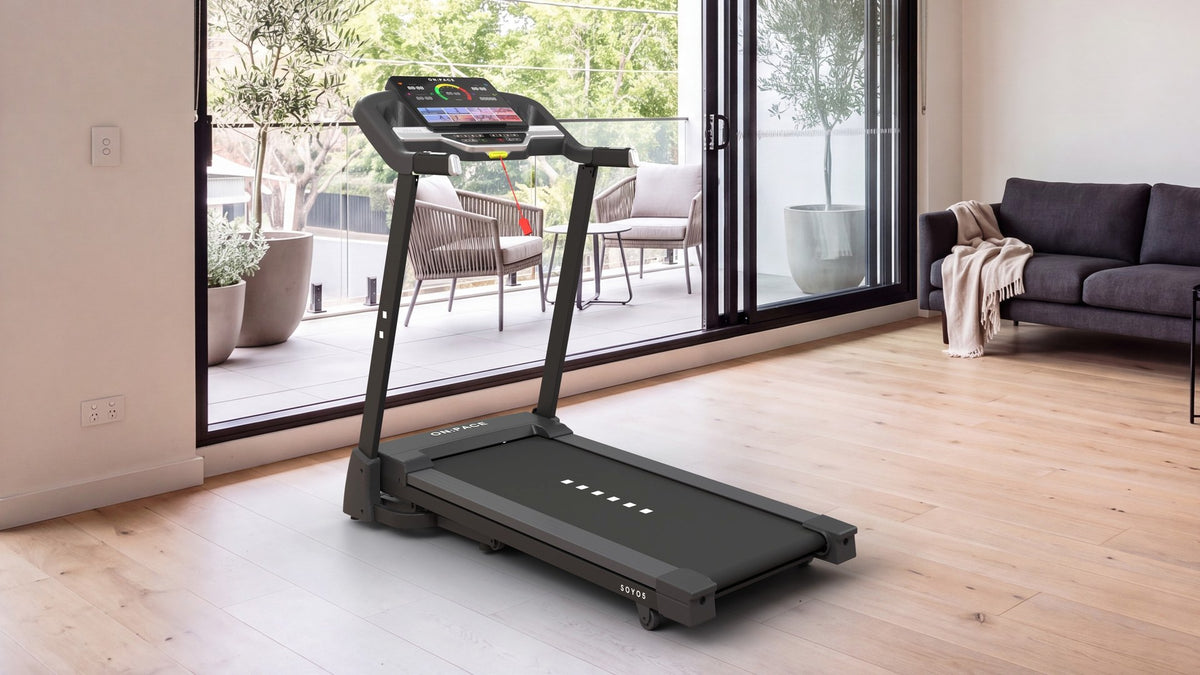
The SOYO 5 has an LED console, so Kinomap runs on your phone or tablet, resting on the ledge along the bottom of the console. It connects to the treadmill over Bluetooth, and as the route climbs, the deck lifts to match.
InclineUp to 15%, set by Kinomap
Speed1.0 to 14.0 km/h, set by you
ScreenYour phone or tablet, on the ledge
Bigger pictureMirror your phone to the TV, or use Remote Display
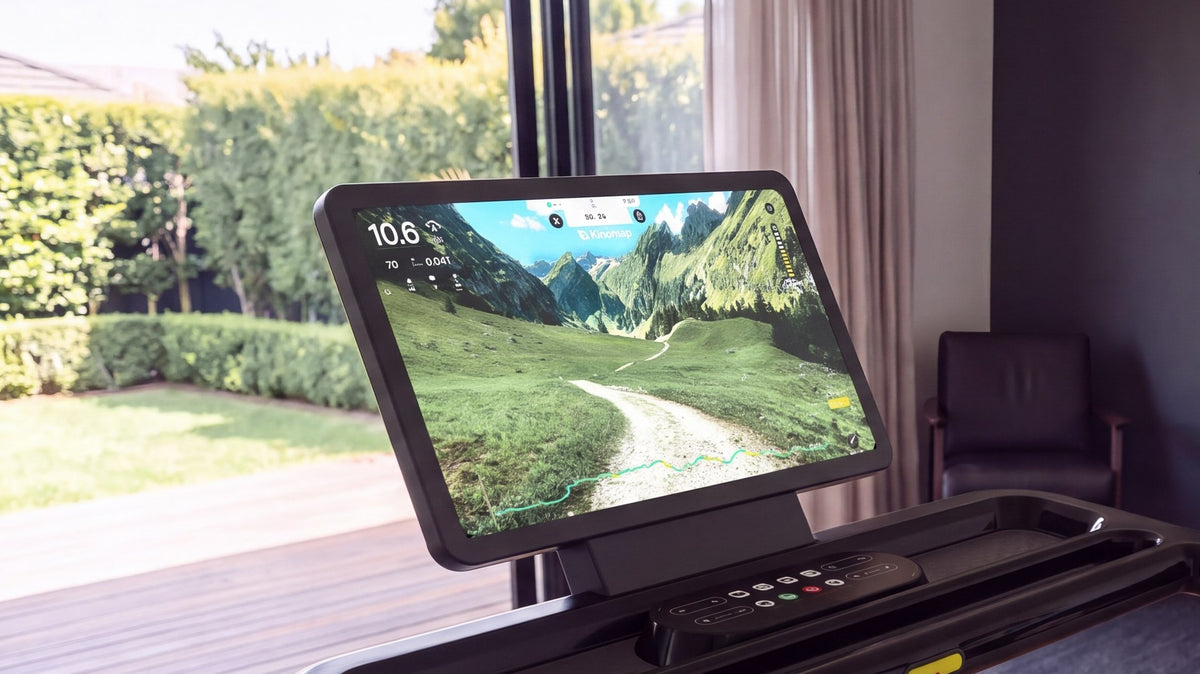
Run Kinomap on your phone and mirror it to the KAZE 5's touchscreen with your phone's own screen mirroring. Kinomap has no cast button of its own, so it's the same mirroring you'd use for anything else. The route fills the screen in front of you while the phone runs the session.
InclineUp to 15%, set by Kinomap
Speed1.0 to 16.0 km/h, set by you
Screen15.6" touchscreen, mirroring your phone
ConnectionBluetooth, bi-directional FTMS
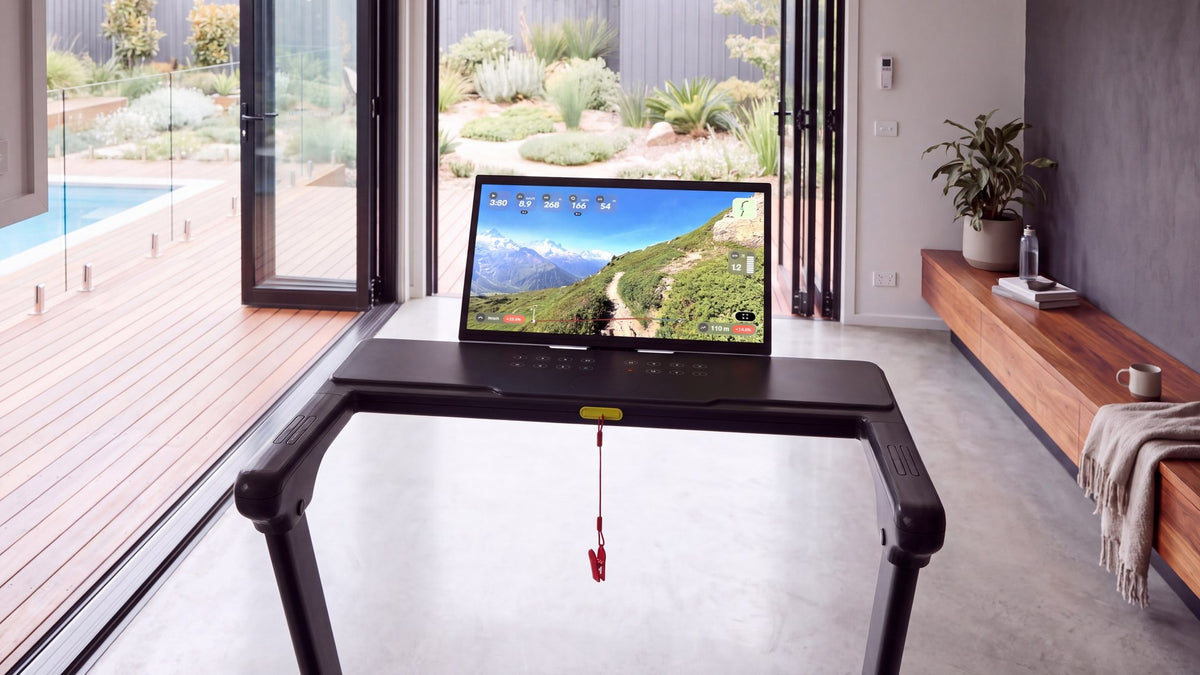
The same as the KAZE 5, on a bigger screen and a faster belt. Mirror Kinomap from your phone to the 21" touchscreen and the route plays right in front of you.
InclineUp to 15%, set by Kinomap
Speed1.0 to 18.0 km/h, set by you
Screen21" touchscreen, mirroring your phone
ConnectionBluetooth, bi-directional FTMS
Kinomap changes the incline but never the belt speed on a treadmill, for your safety and so the pace is always your choice. In Variable Speed the video follows whatever speed you're running, so you're never chasing the footage.
You choose how steep the route feels, from 0% (flat) to 200% of the real gradient, where 100% is the road as it was filmed. A countdown on screen tells you when the next change is coming, like "+2.0% in 24 seconds".
Kinomap runs the session on your phone or tablet. How big the picture gets is up to you.
The phone and tablet apps are the whole of Kinomap, with every mode and setting, and your account works on as many devices as you like. You'll need an internet connection to start a video: Kinomap recommends 10 Mb/s or faster, and with Premium you can download videos first so nothing buffers.
iPhoneiOS 15 or later, iPhone 7 or newer
iPadiPadOS 15 or later, iPad Air 2 or newer
AndroidPhones and tablets, with Bluetooth and location turned on
Internet10 Mb/s or faster recommended
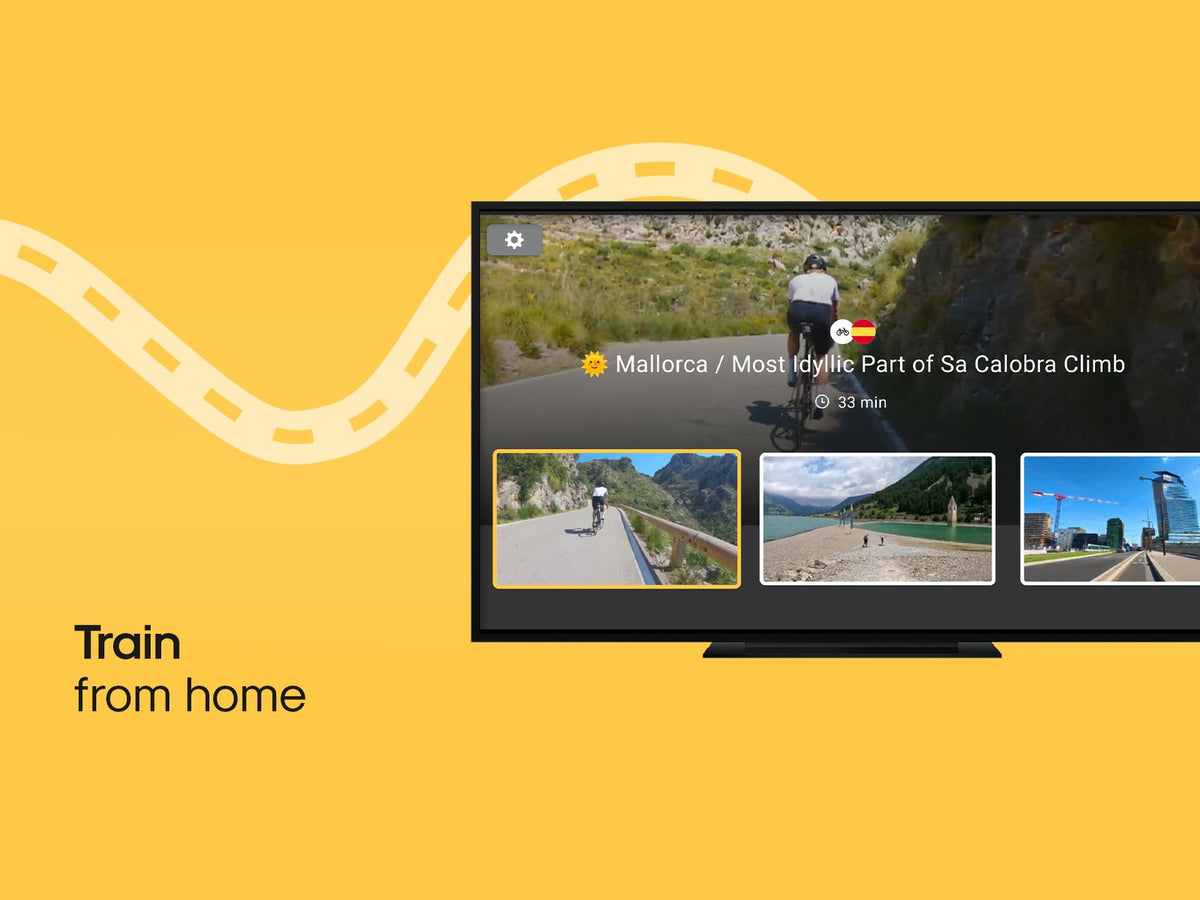
There are Kinomap apps for Apple TV and for Google TV and Android TV. They're a lighter version of Kinomap: scenic videos only, no extra sensors, and you can't subscribe from the TV. They connect to the treadmill themselves, and Kinomap says they don't support every machine.
For every mode on the big screen, run Kinomap on your phone and mirror it to the TV with AirPlay or Chromecast instead.
Apple TVtvOS 17 or later
Google TVIncluding Chromecast with Google TV
Open remote.kinomap.com in a browser on a computer, smart TV or VR headset, then scan the code from the app. The route plays on the big screen and your speed, distance and incline stay on your phone. A laptop plugged into the TV by HDMI works well, since some smart TV browsers don't.
There's no Windows app. On a PC, use Remote Display in the browser and run the session from your phone. On a Mac with Apple silicon (M1 or later, macOS 13 or newer), you can install the iPad app from the App Store.
Every new Kinomap account gets 14 days of everything, starting from your first session. When the trial ends nothing is charged: Kinomap drops back to its free version unless you go Premium.
Map mode on Kinomap's own routes
Free training, indoors or outside with your phone's GPS
Structured workouts that other members have made public
All 40,000+ scenic videos, in Variable or Original Speed
Coached sessions
Your own structured workouts and your own GPX routes
Downloading videos to play without buffering
Exporting your runs to Strava and other apps
Pairing a heart rate strap or other extra sensor
A$129.99
Premium is A$129.99 a year in the Kinomap app.
All three connect over Bluetooth and let Kinomap set the incline as the route climbs. The KAZE 5 and KAZE 7 play it on their own touchscreens; the SOYO 5 holds your tablet on its console ledge.
Pre-order any ON:PACE treadmill and 12 months of Kinomap Premium is included, worth A$129.99.
For walking and light jogging.
$1,097
Shop SOYO 5For jogging and steady running.
$2,197
Shop KAZE 5For walking, jogging and steady running.
$2,747
Shop KAZE 7Sign in at kinomap.com, or create a free account (Apple, Google and Strava sign-in all work). Click your username, open My Subscriptions and choose Add a Prepaid Card. Enter the code from your email and save.
Codes only redeem on the website. Kinomap hides the option while an App Store or Google Play subscription is active.
Download Kinomap on your phone or tablet from the App Store or Google Play, and sign in with the same account. Your 12 months of Premium are already there.
Switch the treadmill on, and don't pair it in your phone's Bluetooth settings. In Kinomap, tap the Bluetooth icon, then Add new equipment, and choose Treadmill. Pick FTMS from the brand list, or tap I can't find my brand and let Kinomap search.
Select the treadmill under Equipment found, start walking and check your speed comes through. Not showing up? Give us a call and we'll talk you through it.
Yes. It's 12 months of Kinomap Premium, with every video, coached session, workout and challenge. A$129.99 is the same as Kinomap's yearly plan in the Australian app.
The difference is how you pay. It's prepaid, so there's no card stored with Kinomap and nothing renews automatically at the end of the year.
We email it to the address on your order, with the steps to redeem it.
Yes, once that subscription ends. Kinomap won't take a prepaid code while an App Store or Google Play subscription is active, so turn off auto-renew in your phone's subscription settings first, then redeem the code at kinomap.com when it runs out.
It simply ends. Nothing renews, so there's nothing to cancel, and your account carries on in Kinomap's free version with your history intact. Buy another year whenever you like.
Not by name yet. Every ON:PACE uses FTMS, the standard Bluetooth protocol for fitness machines, so choose FTMS from the brand list when you add your treadmill, or tap I can't find my brand and let Kinomap find it.
No. Kinomap never changes a treadmill's speed, only the incline. When a workout wants a faster pace, it tells you and you set it on the console.
Yes, with Premium. Bluetooth chest straps and some smartwatches work. An Apple Watch works with an iPhone, but not with an iPad, and a Garmin watch needs its Broadcast Heart Rate or Virtual Run feature.
Strava, yes, along with adidas Running, Decathlon Coach, Nolio and Runkeeper (on iOS), plus Apple Health on iPhone and Samsung Health through Health Connect on Android. Garmin Connect isn't supported: Kinomap says it tried and couldn't make it work. You can also email yourself a GPX, TCX or PWX file. Exporting needs Premium.
Yes, to start a video. Kinomap recommends 10 Mb/s or faster. With Premium you can download videos ahead of time, which stops them buffering mid-run.
Each person needs their own Kinomap account, so everyone keeps their own history. On a subscription bought on Kinomap's website, the Family option adds up to four people for €8 a month. It doesn't work with app subscriptions or prepaid codes.
Yes. Mirror your phone to the TV with AirPlay or Chromecast, use Remote Display in a browser, or install Kinomap's own TV app, which plays scenic videos only. On a KAZE, you can also mirror your phone straight to the treadmill's touchscreen.
No. Everything on the console works out of the box, including programmes, speed, incline and the display. Kinomap is there for when you want more from a session.
Yes. Premium belongs to your Kinomap account, not the machine. Kinomap works with more than 220 brands and 2,500 models of treadmill, exercise bike, elliptical and rowing machine.
Whether it's redeeming a code or getting your treadmill to connect, give us a call and we'll talk you through it.
Call Us | (03) 7047 9313Mon–Fri, 9am–5pm AEST

